How DBAPI Performs API Request Parameter Validation
Hands-on Examples
Example 1 – Validate That a Parameter String Length Does Not Exceed 4 Characters
- In the "Parameter Validation" project, click "Add New Parameter Validation Rule."
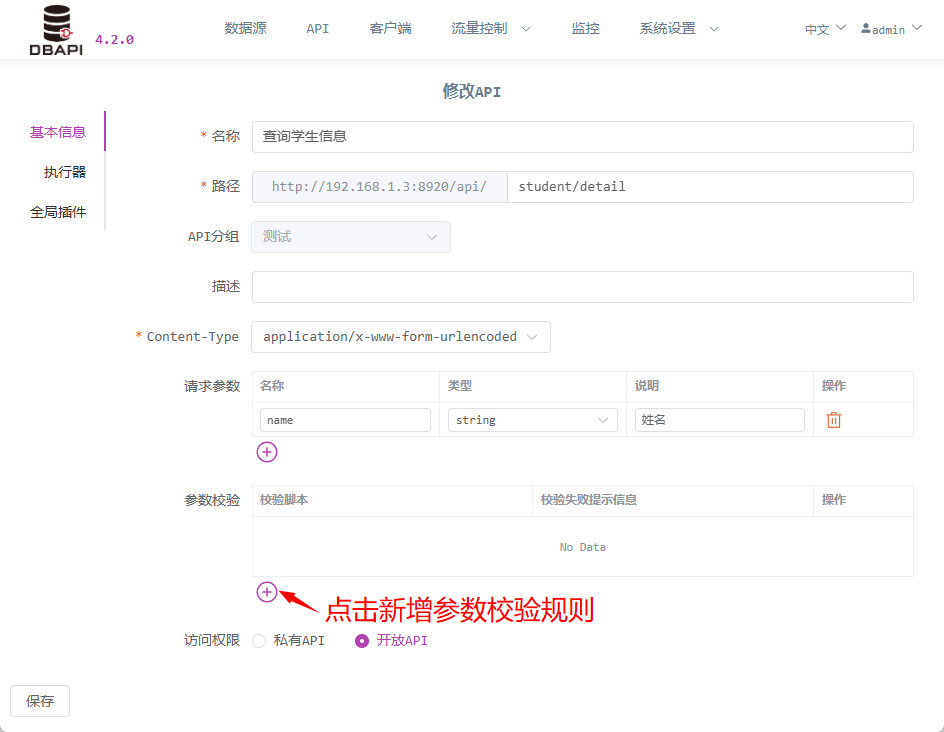
- In the validation script field, enter JavaScript code such as
name.length < 5. Then, provide an appropriate error message for when this rule fails. If the parameter validation rule is not met, this error message will be returned.
Note: JavaScript code can span multiple lines, as long as the last line evaluates to a boolean expression or assigns a boolean value. Each statement should end with a semicolon. For example:
var res = name.length < 5; res;
- You can directly reference parameter names defined in the request within your code.
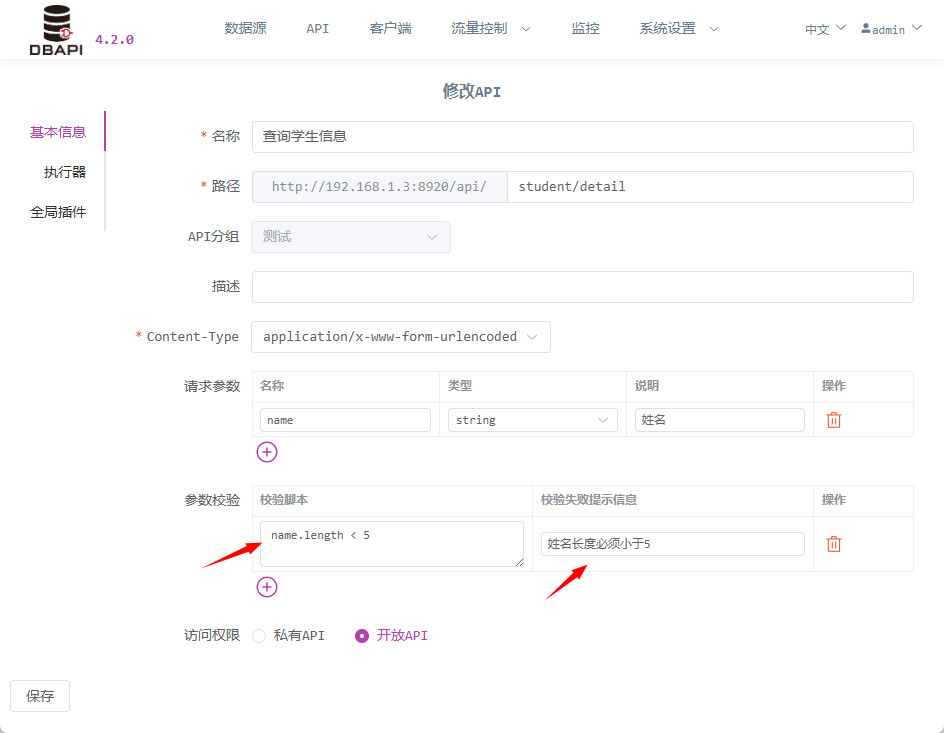
- Save the API and publish it.
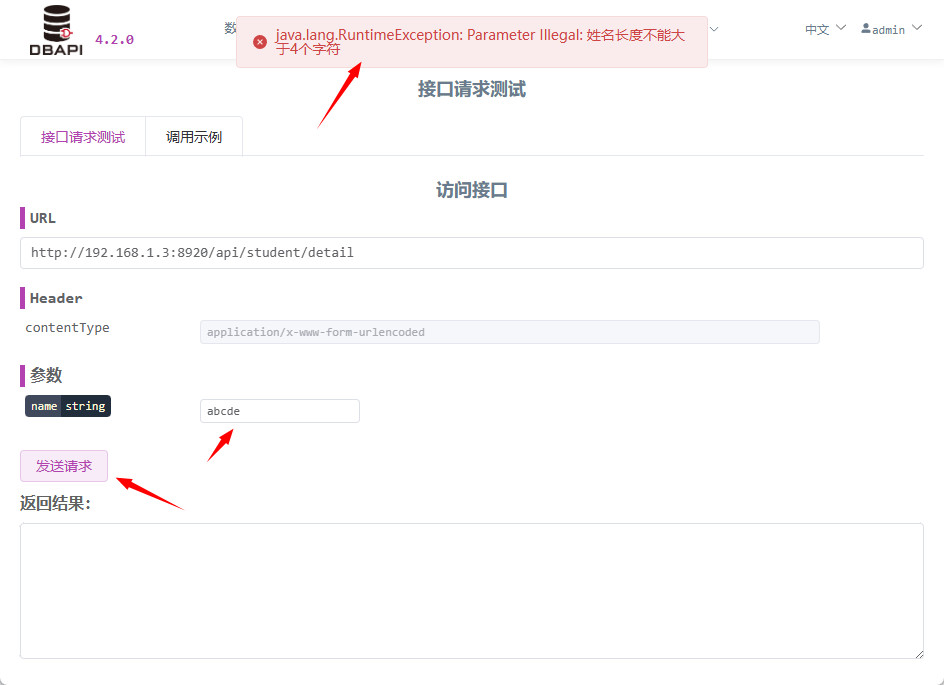
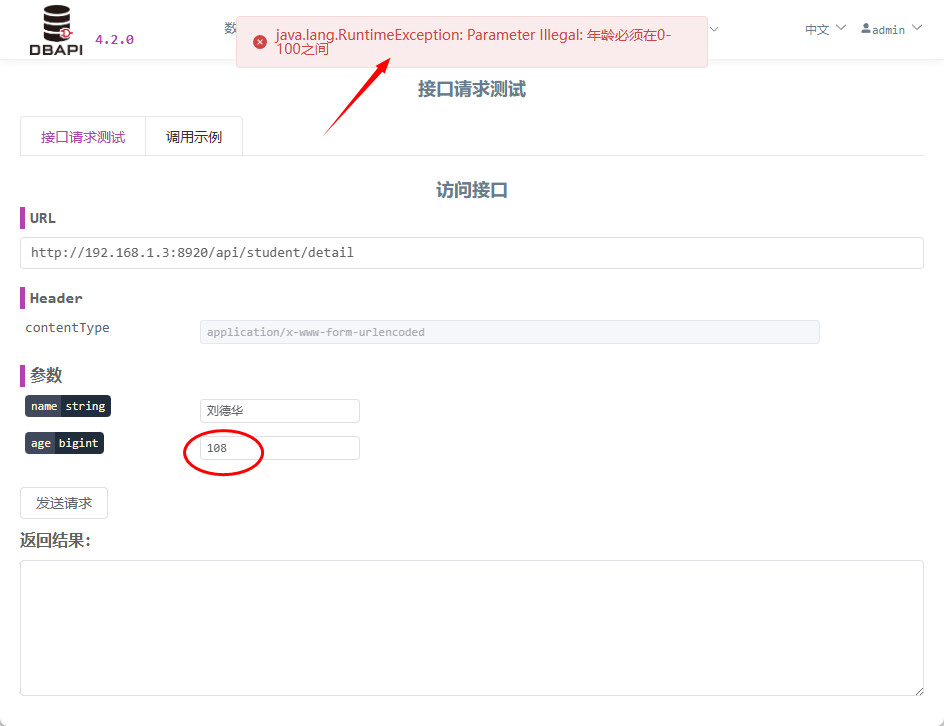
- Go to the API request testing page, input a relatively long string, and send the request. You will then see an error message displayed.
Example 2 – Multiple Parameter Validation
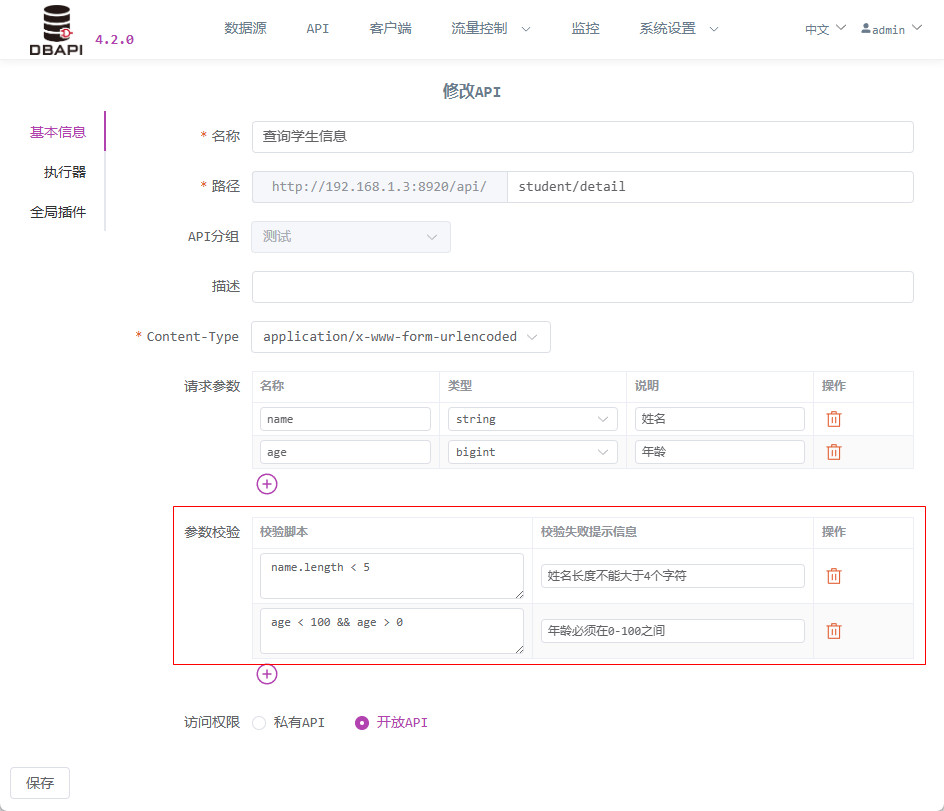
- If an API has multiple parameters, each one can be individually validated.
Click the "Add New" button to create as many parameter validation rules as needed.
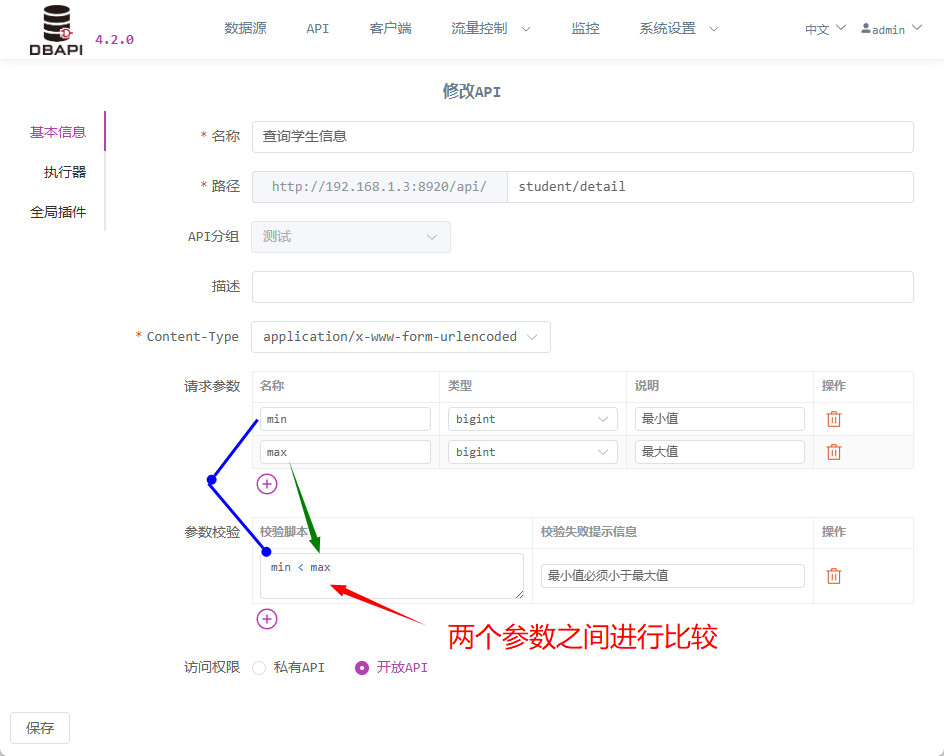
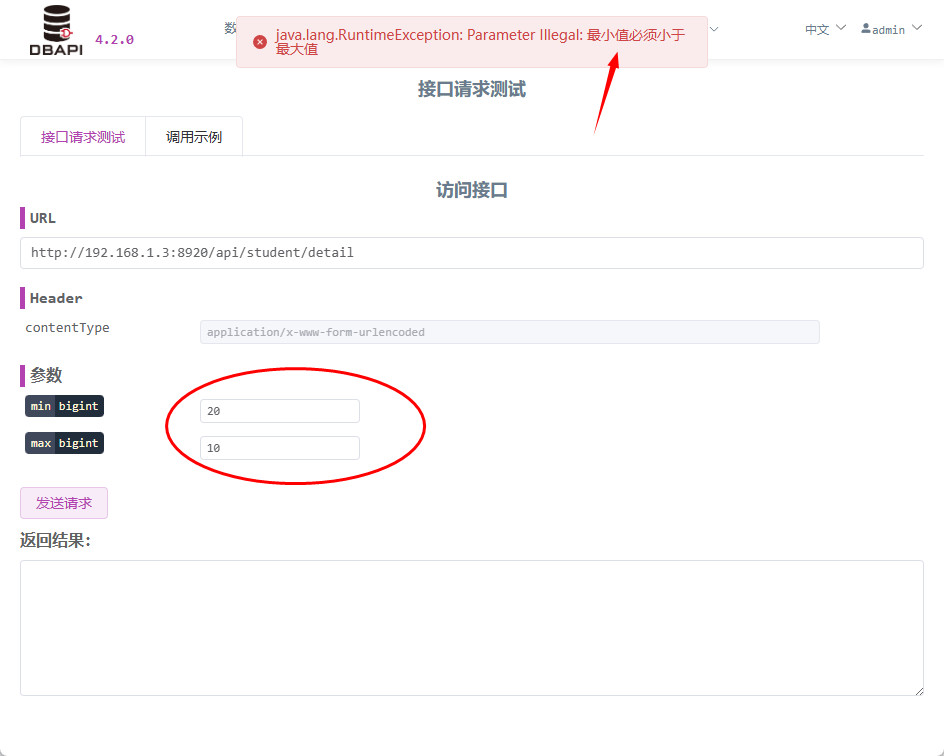
Example 3 – Cross-Validation Between Multiple Parameters
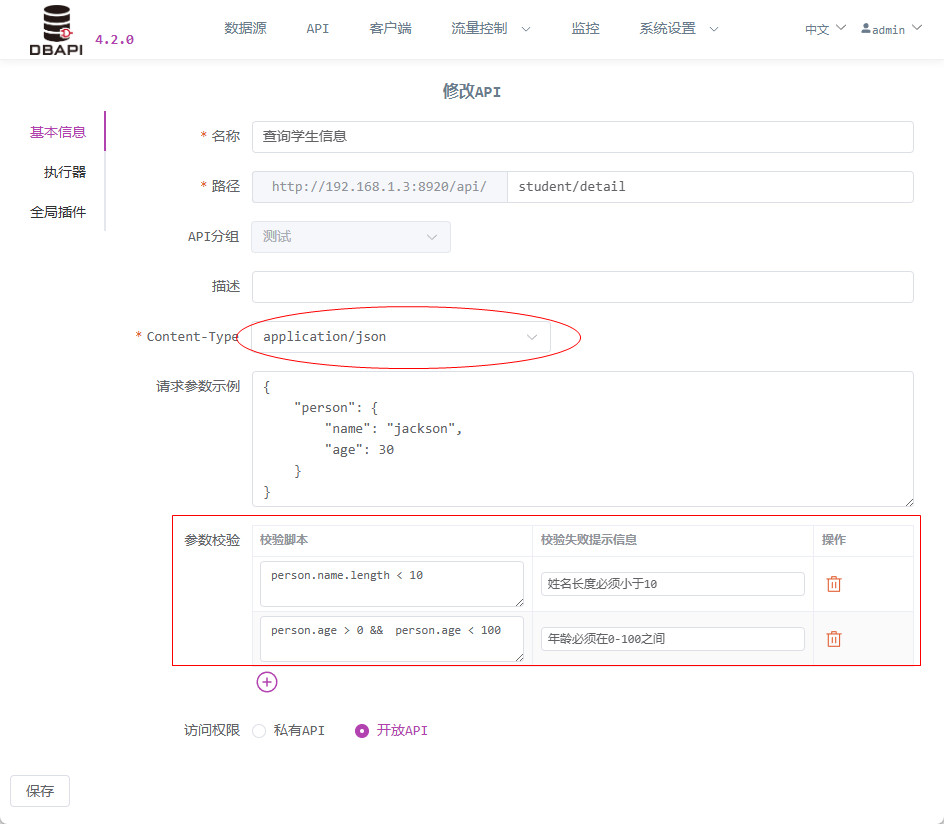
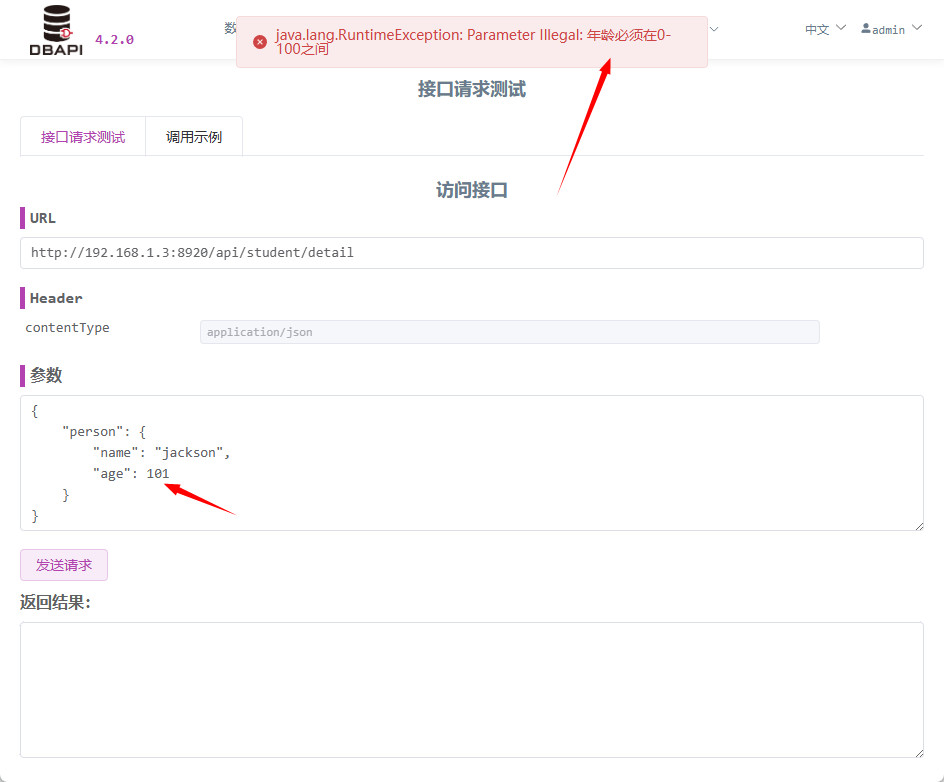
Example 4 – Validation of Complex Nested JSON Parameters
- For APIs using the
application/jsoncontent type, parameter validation is also supported.
Notes
- This feature is available only in the Enterprise Edition. It was introduced in DBAPI Enterprise Edition version 4.1.0.