# How to Build REST API with SQL in One Minute
DBAPI (opens new window) is a low-code API development tool that allows you to write SQL directly on the web page to generate REST APIs. This guide will walk you through the quick start process of using DBAPI from a beginner's perspective.
# Prerequisites
A MySQL database with a student information table structured as follows:
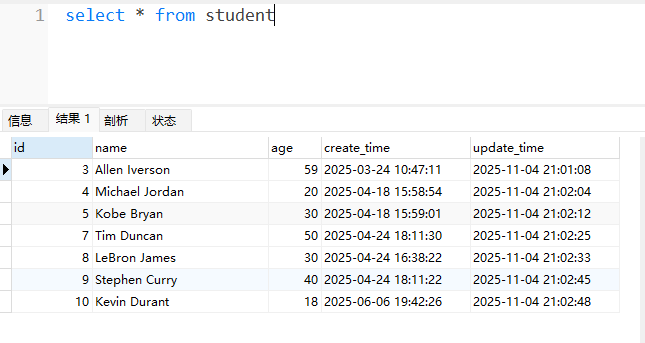
Requirement: Develop an HTTP API at
http://127.0.0.1:8520/api/student/detailwith a numericidparameter to query student information.Example: Accessing
http://127.0.0.1:8520/api/student/detail?id=7retrieves specific student information.
# Step-by-Step Guide
# 1. Create a Data Source
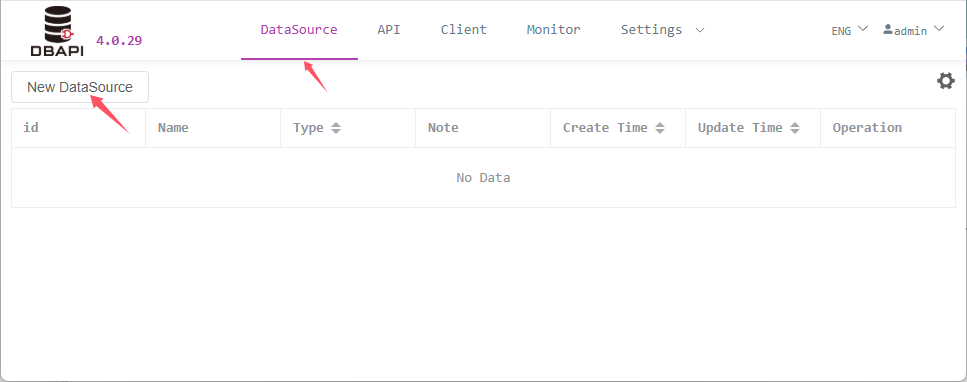
Navigate to the data source page and click the New Data Source button.
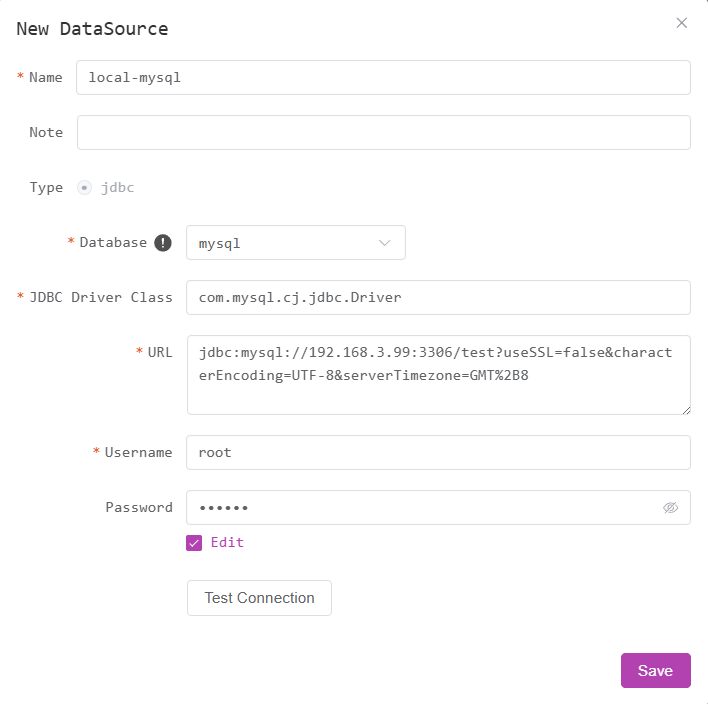
In the popup window, enter your MySQL connection details (address, account, password) and save.
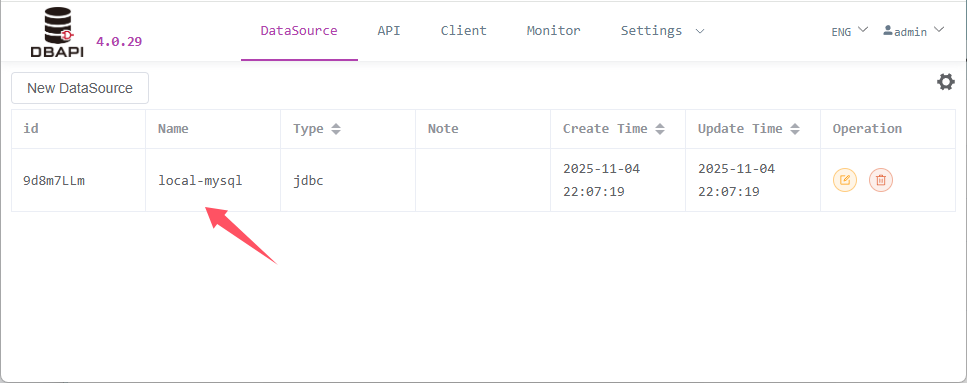
After saving, the new data source will appear in your list.
# 2. Create an API Group
Go to the API page and click New Group.
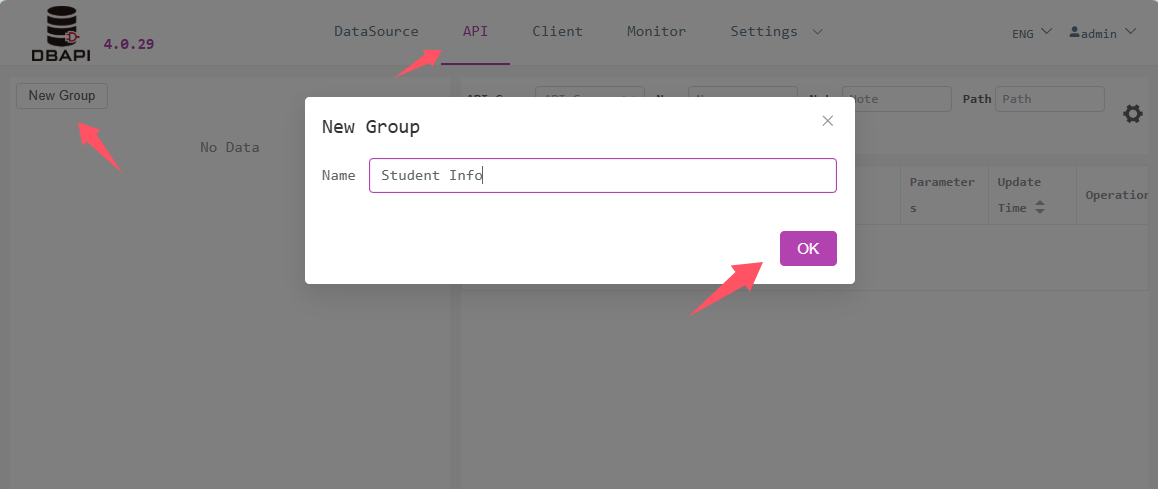
Enter a group name in the popup and save.
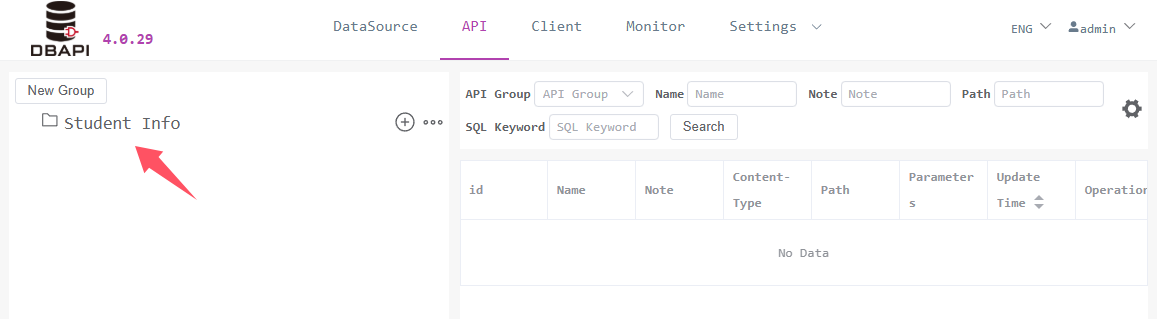
The new group will appear in the left sidebar (initially empty).
# 3. Create a New API
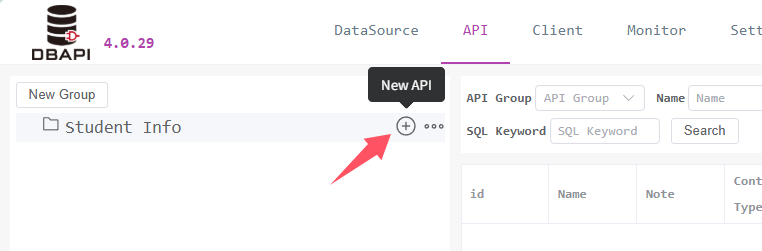
Click New API within your group to open the API creation page.
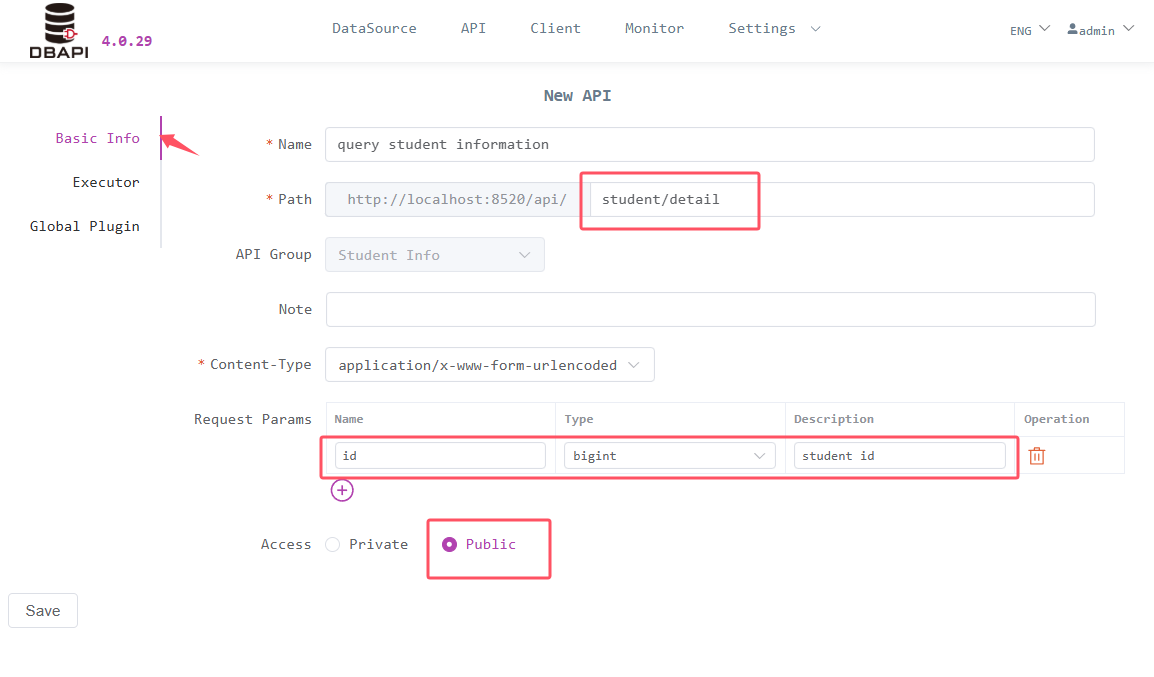
Configure basic API information:
- Set API path
- Create
idparameter - Keep
Content-Typeas default - Set access permission to Public (for testing)
# 4. Configure API Executor
Click on the Executor tab
Select your newly created
local-mysqldata sourceEnter the SQL query:
select * from student where id = #{id}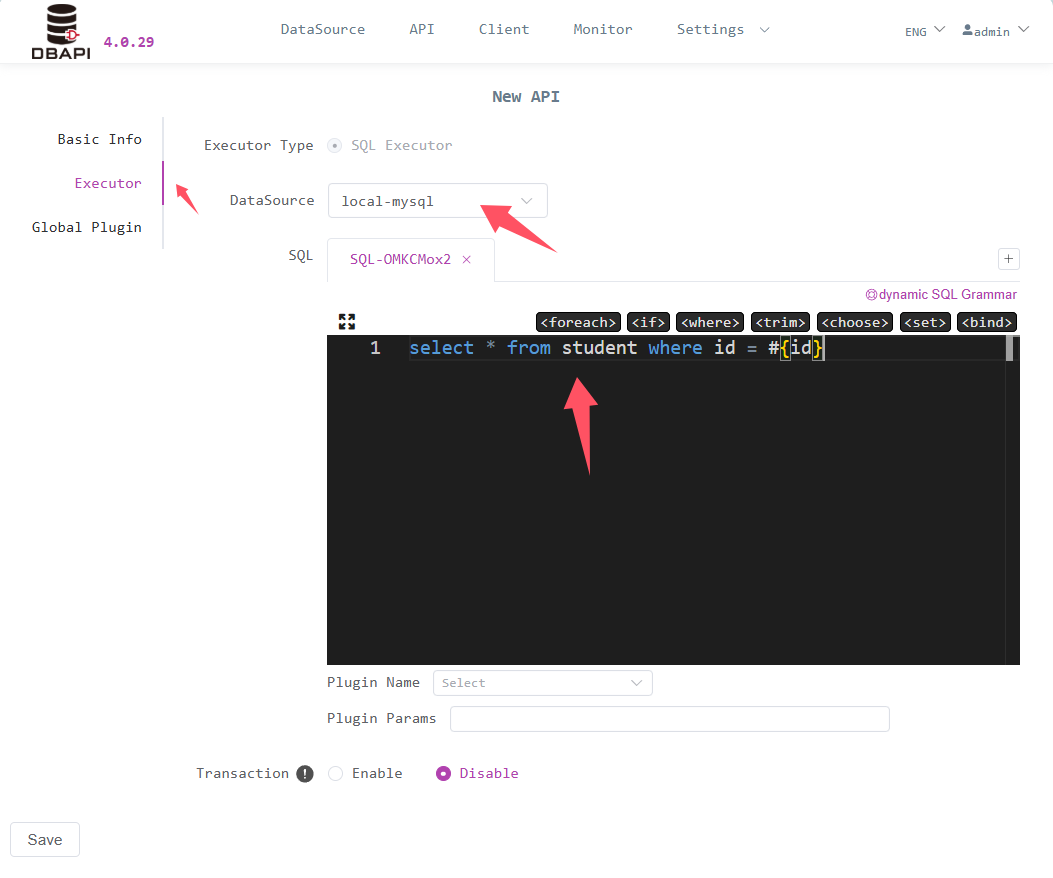
Click Save to create the API
# 5. Publish and Test the API
After saving, the API will appear in your group but will be grayed out (unpublished).
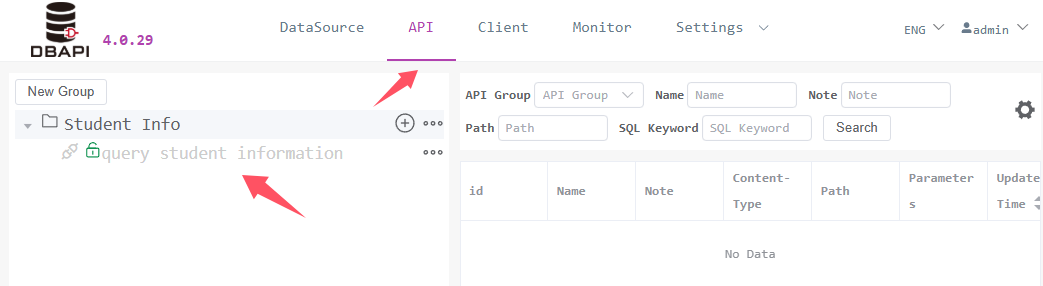
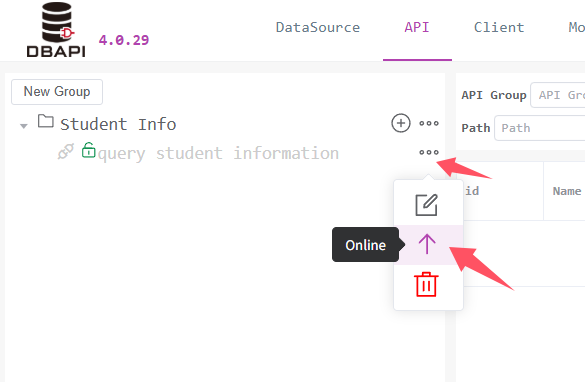
Click the Online button to publish the API.
Once published, the API will be active with a Test button available.
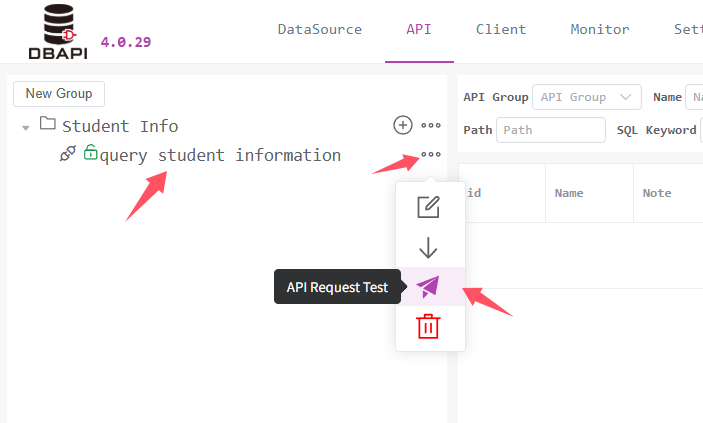
Click API Request Test to open the testing interface:
- Enter
idparameter value (e.g., 7) - Click Send Request
- View returned student data
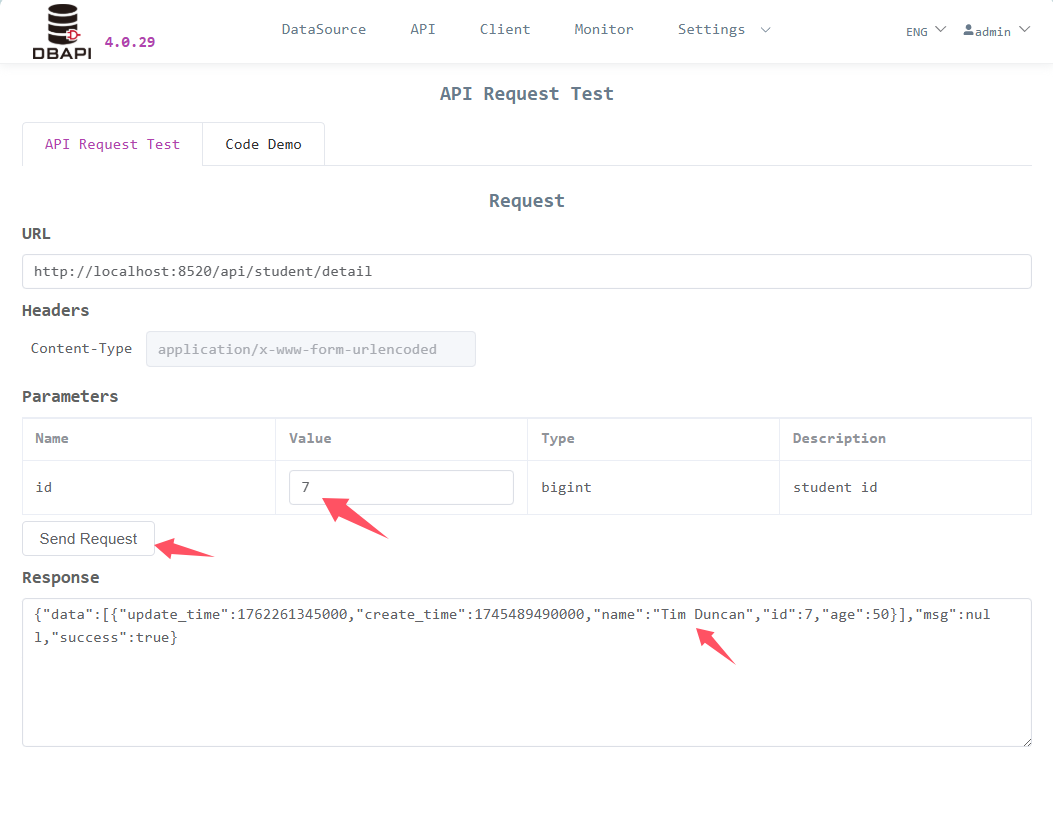
- Enter
Alternatively, test via browser by accessing:
http://127.0.0.1:8520/api/student/detail?id=7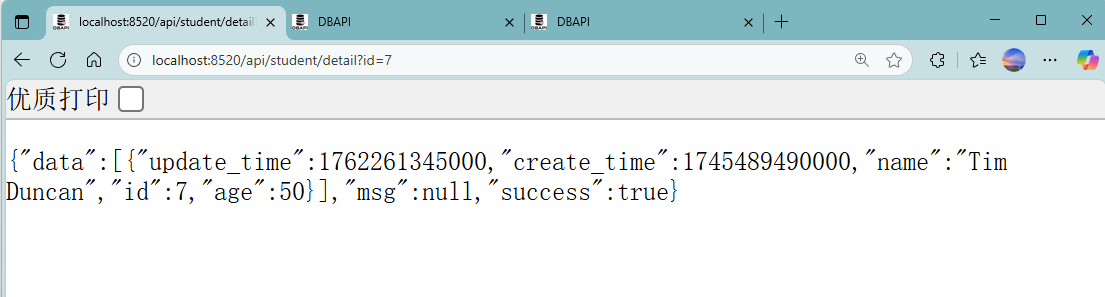
# Conclusion
You've successfully created and deployed a REST API in under a minute with no coding required!
# Additional Resources
For more advanced usage and tips, visit the DBAPI official website (opens new window).